
Flyway Migration Guide: Zero-Downtime Schema Changes
The riskiest part of a deployment isn't the code, it's the schema: to never hear 'the ALTER TABLE locked the table for eight minutes', a schema change must work with both the old and the new application version. Versioned migrations with Flyway, the expand-migrate-contract pattern, lock-free DDL alternatives in PostgreSQL, batched backfills and safe execution in multi-replica deployments.
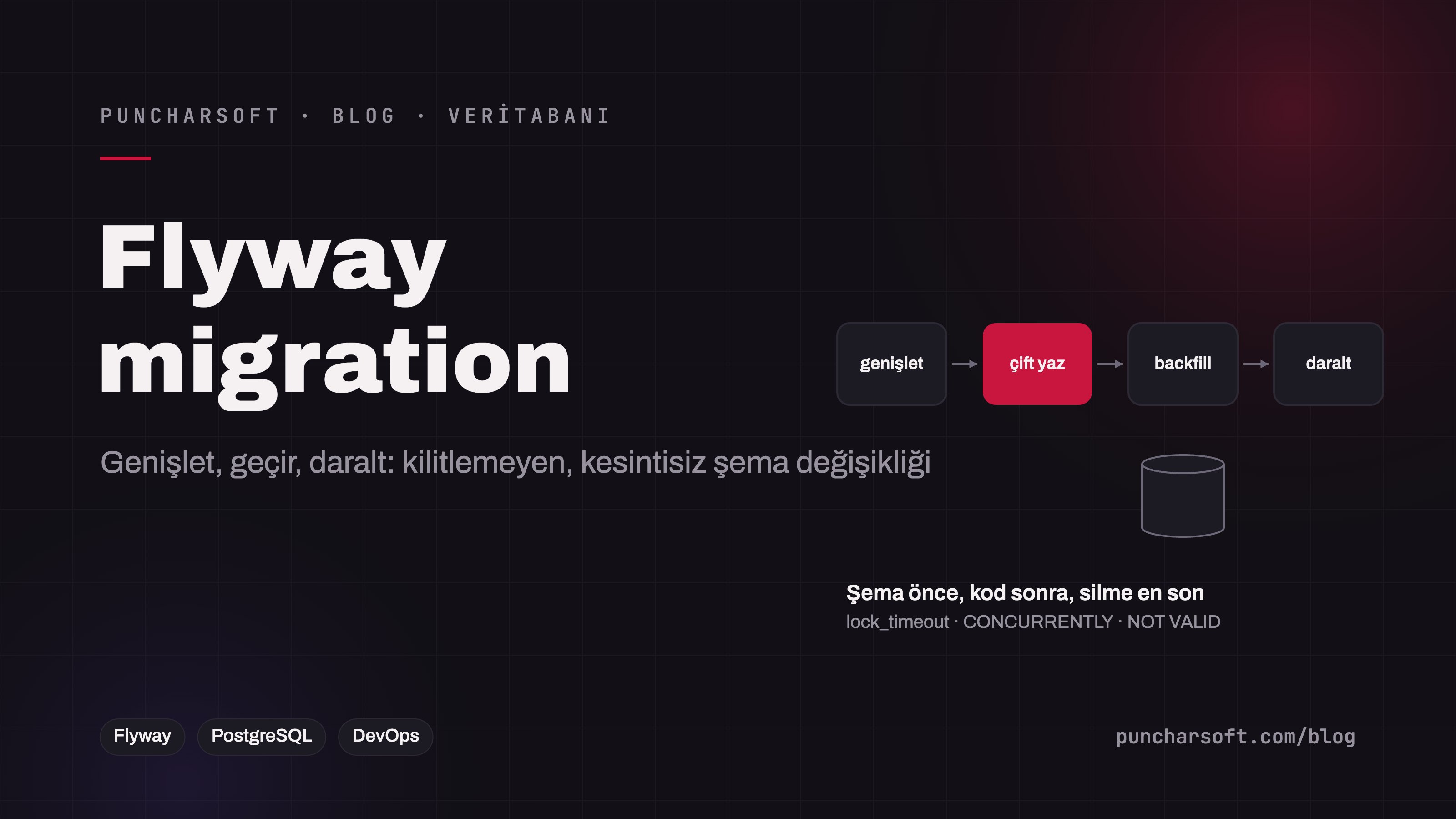
The riskiest part of a deployment isn't the code, it's the schema. Code can be rolled back; a column added wrongly to a 40-million-row table or an ALTER TABLE that holds a lock for eight minutes can't be rolled back, only lived through. And modern deployments are rolling: for several minutes the old and the new application version run at the same time against the same database. If the schema change isn't compatible with both, "zero downtime" is just a slogan.
This article covers the versioned-migration discipline with Flyway, the expand-migrate-contract pattern, lock-free DDL alternatives in PostgreSQL, batched backfills, running migrations safely in multi-replica deployments, the test strategy and the mistakes we see in the field.
The basic discipline
The schema is versioned like code: Every change is a migration file in the repository (
V12__add_customer_name.sql); there is no hand-run SQL. Flyway records which version has been applied in theflyway_schema_historytable.An applied migration never changes: A checksum mismatch stops production; a mistake is fixed with a new migration.
Forward only: No "down" migrations are written; rollback means returning to the previous application version that is compatible with the schema. Designing the schema to stay compatible with the previous version makes this possible.
Small and single-purpose: One migration, one change; large files leave the state unclear when they fail halfway.
ddl-autooff in production: Hibernate'supdatemode can't manage a production schema (validatemay stay).
Expand – migrate – contract
The single rule of zero downtime: every migration must be compatible with both the application version currently running and the one being deployed. That means every destructive change is spread over several releases. Example: renaming the column customer.customer_name to name.
Release | Schema (migration) | Application | Note |
|---|---|---|---|
R1 — expand |
| Unchanged | Instant; no lock |
R2 — dual write | — | Also writes the new column; on read, falls back to | The old version still writes the old column; no problem |
R2 — backfill | Java migration: | Keeps running | May take long; holds no lock |
R3 — migrate |
| Reads and writes only | The old column is no longer used |
R4 — contract |
| Unchanged | At least one release later; after the rollback window has closed |
The same pattern applies to changing a column type (new column + backfill + switch), splitting a table and changing relationships. It looks slow; but every step is safe and reversible on its own.
Dangerous DDL and its safe counterparts (PostgreSQL)
Operation | Risk | Safe way |
|---|---|---|
Adding a column with a default | Rewrites the whole table before PG 11 | A constant default is instant on PG 11+; a |
Creating an index |
|
|
Adding NOT NULL | Full table scan, lock |
|
Adding a foreign key | Locks both tables |
|
Renaming a column / changing its type | Breaks the old version | Expand-migrate-contract |
Dropping a column/table | The old version may still use it | The code stops using it first; the schema drops it one release later |
Long lock waits | The lock queue blocks every query |
|
-- V12__add_customer_name.sql  (R1: expand)
SET lock_timeout = '3s';
SET statement_timeout = '30s';
ALTER TABLE customer ADD COLUMN name text;
-- V14__customer_name_index.sql (must run outside a transaction)
CREATE INDEX CONCURRENTLY IF NOT EXISTS ix_customer_name ON customer (name);
-- In the script config file V14__customer_name_index.sql.conf next to it:
-- executeInTransaction=false// V13__CustomerNameBackfill.java (R2: batched backfill; holds no lock, resumes where it left off)
public class V13__CustomerNameBackfill extends BaseJavaMigration {
@Override
public void migrate(Context ctx) throws Exception {
var jdbc = new JdbcTemplate(new SingleConnectionDataSource(ctx.getConnection(), true));
int updated;
do {
updated = jdbc.update("""
UPDATE customer SET name = customer_name
WHERE id IN (SELECT id FROM customer WHERE name IS NULL ORDER BY id LIMIT 10000)
""");
Thread.sleep(50); // breathing room for replication and other queries
} while (updated > 0);
}
}Who runs the migration in a multi-replica deployment?
Spring Boot's default is to run Flyway as the application starts. Fine for a single instance; when three replicas start at once, Flyway's lock mechanism (a lock on flyway_schema_history; spring.flyway.lock-retry-count) prevents the race, but a long backfill exhausts the three pods' startup probes and Kubernetes restarts all of them. The more robust arrangement:
Run the migration in a separate step from the application:
flyway migratein the CI/CD pipeline or a Job/init container on Kubernetes; the application pods onlyflyway validate(spring.flyway.enabled=falseplus a schema-compatibility check).The migration runs before the application deployment (expand steps) or after it (contract steps) — the order is dictated by the pattern.
The database user running migrations has DDL privileges; the application's user has DML only — least privilege, and protection against accidental schema changes.
# application.yaml (application pod)
spring:
  flyway:
    enabled: false                      # migrations run in a separate Job; the app doesn't change the schema
  jpa:
    hibernate:
      ddl-auto: validate                # refuses to start on an entity ↔ schema mismatch
Test strategy
Migration-from-scratch test: All migrations are applied to an empty PostgreSQL via Testcontainers; entities match through
validate. On every CI run.Migration-from-previous-release test: The new migrations are applied to the schema of production's last release (a dump); the backfill is tested against real data shapes.
Compatibility test: The previous application version's integration tests run on the new schema — a simulation of the rolling deployment.
Timing rehearsal: On large tables the migration is timed on a production-sized copy; "3 seconds" versus "40 minutes" changes the deployment plan.
Common mistakes in the field
Renaming in a single release: Old pods die with "column does not exist"; the deployment stalls halfway.
DDL without
lock_timeout: An ALTER queued behind a long report query blocks the whole application.CONCURRENTLY inside a transaction: PostgreSQL refuses; the transaction must be disabled through the script config.
Editing an applied migration: Checksum error; a different schema in other environments.
Backfilling with a single UPDATE: A giant transaction over millions of rows, WAL bloat, replica lag.
Treating a backup restore as rollback: A restore is data loss; rollback is returning to the old application version on a compatible schema.
Frequently asked questions
Flyway or Liquibase?
Both enforce the same discipline. Flyway is plain SQL and simplicity; Liquibase is XML/YAML changelogs, database-independent abstraction and more advanced rollback tooling. For Spring Boot teams on a single database engine, Flyway creates less friction; for products supporting several engines, Liquibase's abstraction is valuable.
How do migrations work in a SaaS with a schema per tenant?
In a loop over the schema list (Flyway.configure().schemas(tenant)) with a separate history table per schema; the deployment isn't "done" until every schema reaches the same version. See our multi-tenant architecture article for details.
Do the same rules apply to MySQL?
The pattern is the same; the tools differ. In MySQL 8 much DDL is online (ALGORITHM=INSTANT/INPLACE), but type changes and some indexes rewrite the table; on large tables, tools such as gh-ost or pt-online-schema-change are used.
Conclusion
Zero-downtime schema change is a discipline, not a tool: versioned and immutable migrations, the expand-migrate-contract pattern that keeps every step compatible with both the old and the new application, lock-free DDL, batched backfills, migrations run separately from the application and tests from the previous release. With this discipline, even a 40-million-row table is changed in daylight.
To move your database deployment process to zero downtime or plan a risky schema change, see our maintenance and support and enterprise application development services.